Change AutoPay Payment Method for Real Estate Tax Accounts on PayQuincyMA
Need to change the card or bank account connected to your AutoPay for Real Estate Tax? After signing into your PayQuincyMA profile, follow the directions below to update your payment method:
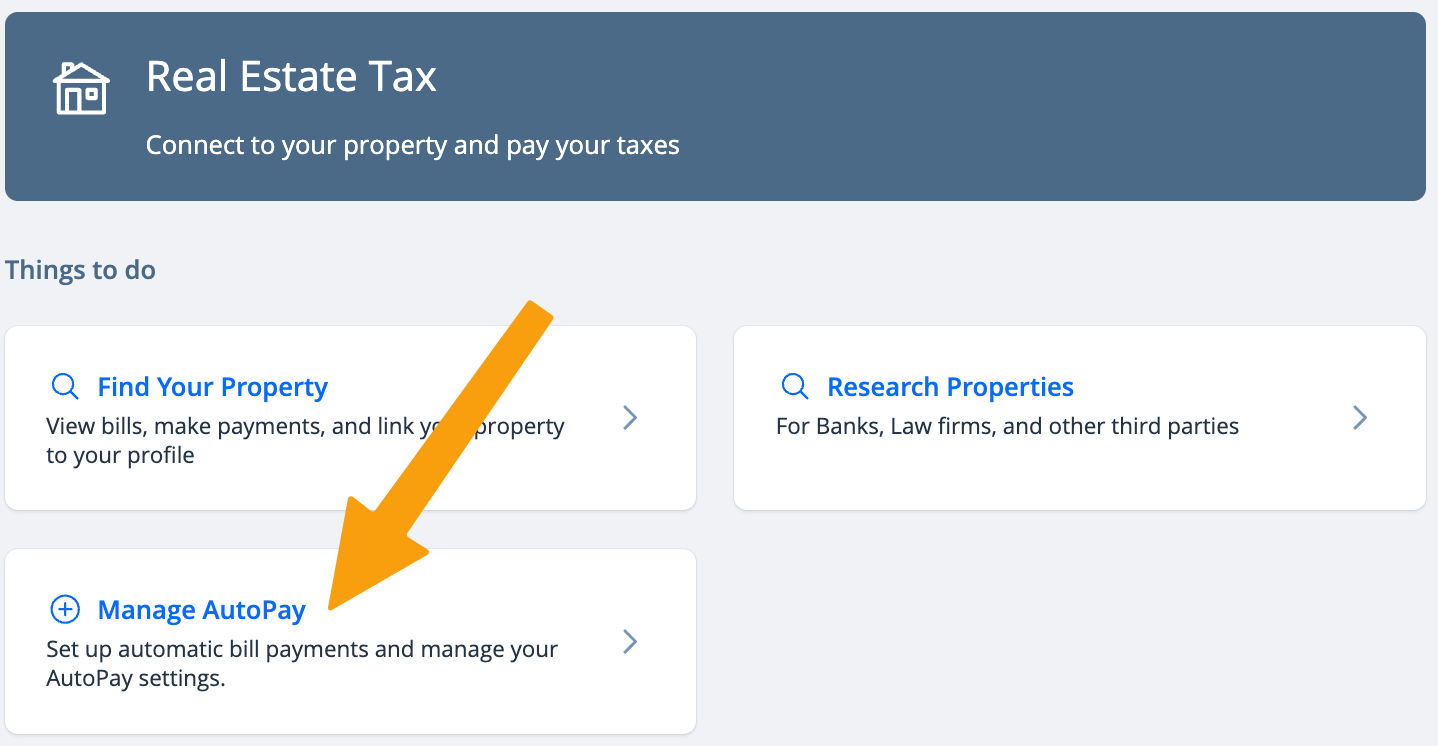
- Click on Manage Autopay
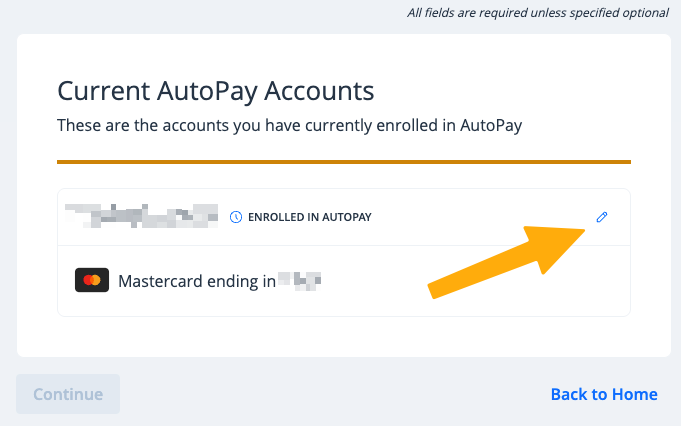
- Click the pencil icon next to the account you want to update.
- Choose your preferred payment method from your saved payment methods, or add a new payment method.
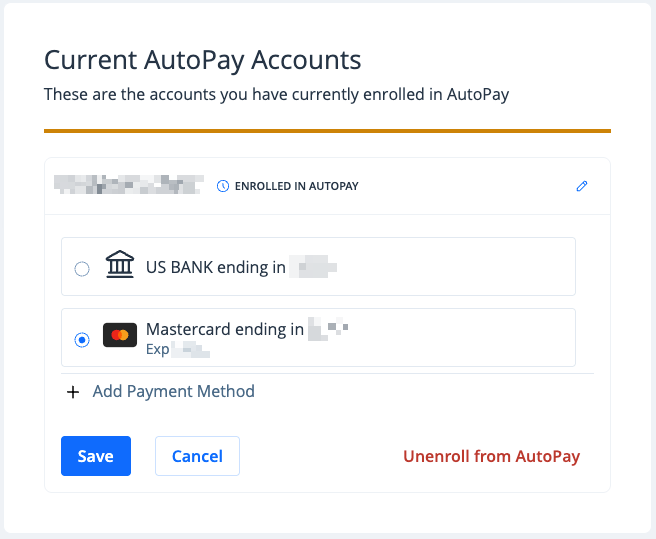
- Click Save to confirm

Your AutoPay has now been updated. You will receive an email confirmation, and future payments will be processed using your newly-selected payment method.