
Unenroll a Real Estate Tax Account from AutoPay on PayQuincyMA
No longer want to have your bills paid automatically on PayQuincyMA? No problem! Follow the steps below to unenroll from AutoPay:
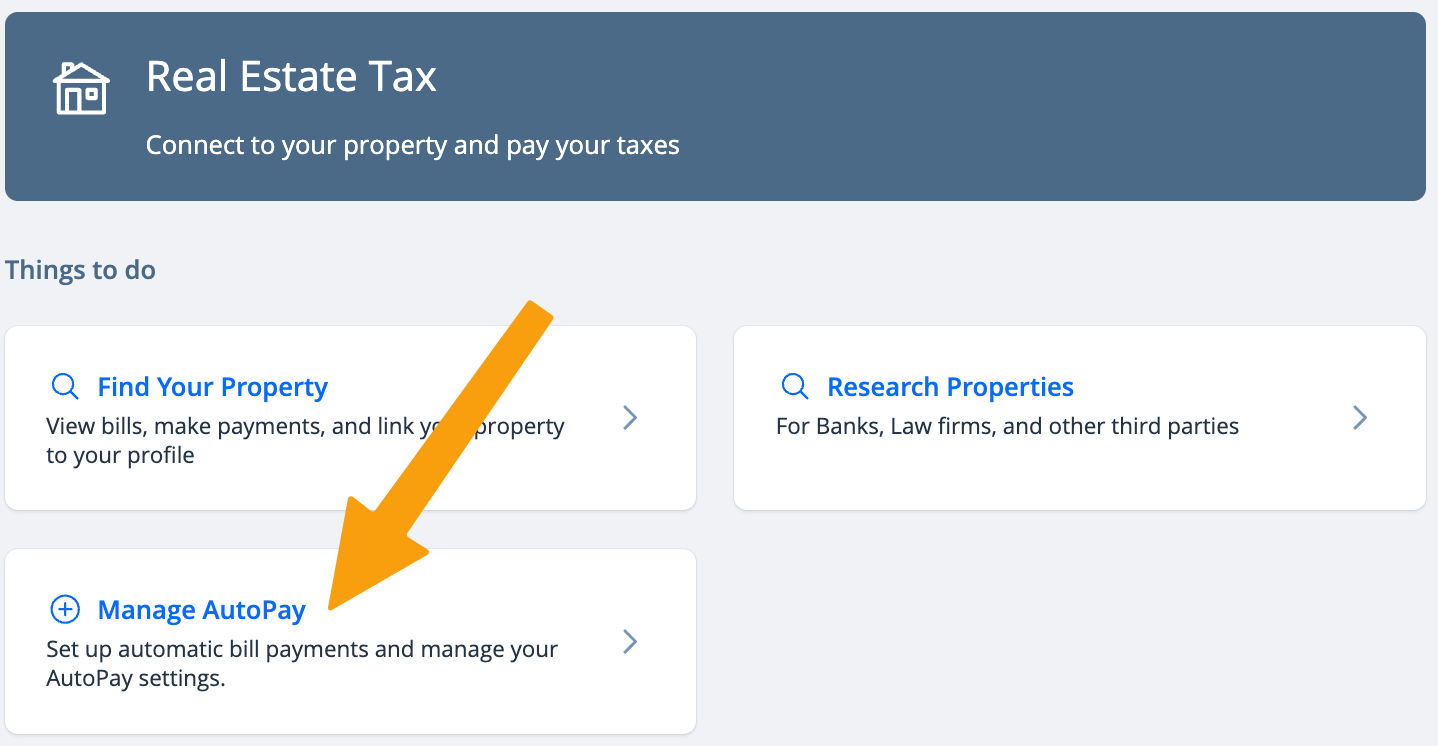
- Select Manage AutoPay
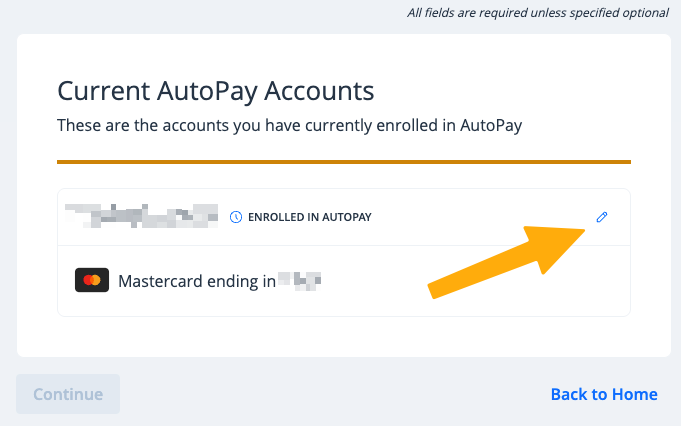
- Click the small pencil icon next to the account you wish to unenroll
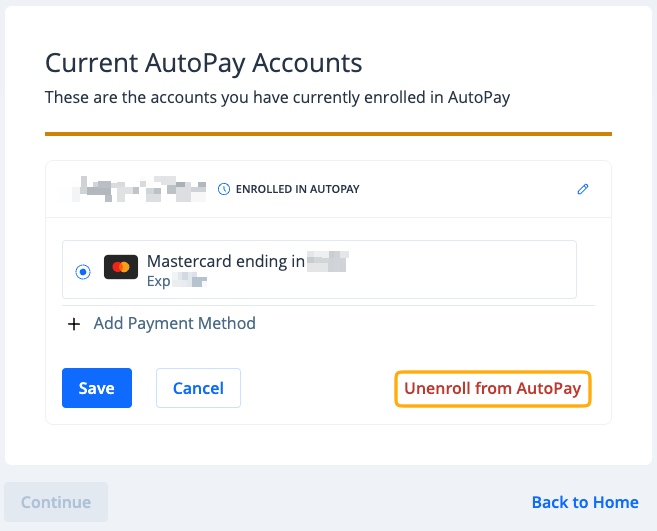
- Click Unenroll from AutoPay
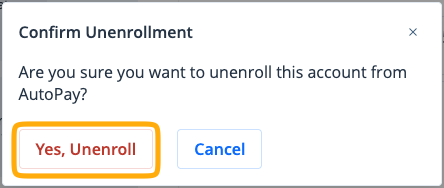
- Click Yes, Unenroll to confirm
Your account is now unenrolled from AutoPay. You will receive an unenrollment confirmation email, and manual payments will need to be made going forward.
To re-enroll in AutoPay, see Enroll a Real Estate Tax Account in AutoPay on PayQuincyMA.